

Introduction
If you live in a SOC, you already know the pattern. You are drowning in alerts, pivoting across too many tools, and trying to reconstruct incidents from partial data. The SIEM is both the detection hub and the place where budget disappears. Meanwhile, leadership wants faster MTTR, better coverage, and visible progress on “AI in the SOC” — all without adding headcount.
Let’s see how a unified search experience can become the central investigation hub for a true SecOps investigator. How is this transformation possible? By turning scattered telemetry into a single, AI-native workspace with machine-augmented insights.
The SecOps reality: why modern investigations are so hard
Before following an investigator through their day, let’s name the forces that make SecOps work so hard.
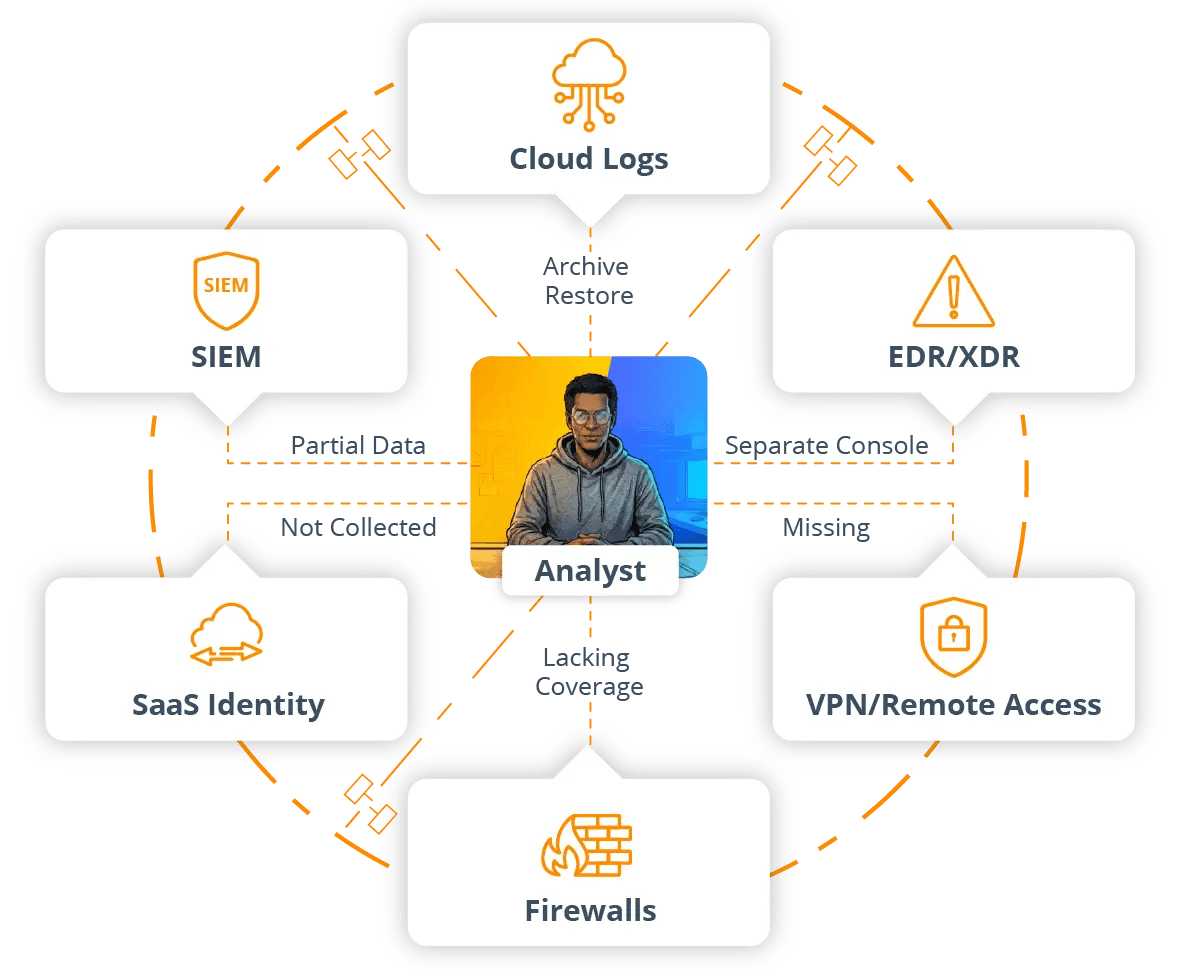
Data fragmentation and blind spots
Security data lives everywhere. Some of it sits in the SIEM. Some of it lands in S3 or other object stores. Cloud providers emit their own logs. EDR and XDR systems have their own consoles. SaaS platforms, identity providers, VPNs, firewalls, and application logs each bring their own formats and interfaces.
Only a slice of that telemetry makes it into the SIEM, and the slice is often defined by licensing rather than by what investigators actually need. The rest is scattered across cheap storage, individual tools, or simply not collected at all.
During an incident, that fragmentation becomes uncertainty. Teams cannot be sure they have the whole picture. They struggle to see what happened six or twelve months ago without a restore ticket. And they know that some logs probably exist but are effectively out of sight and they have to go on without them.
Slow, brittle search paths
Even when data is technically present (well, it’s there in theory!) search is often the bottleneck. And from investigations to incident reviews, sometimes you rely on guesswork, while waiting hours for a query to finish or for an archive to be rehydrated.
Mile-long, ultra-wide-time-range queries bog down or fail. Attempts to search cold or archived data require service tickets and manual restores. Simple questions, like “show me all activity from this user over the last quarter,” literally become mini projects involving exports, temporary tables, or hand stitched notebooks.
Alert noise and shallow context
Yes, the SIEM came out almost 20 years ago and alerting technology has improved since then. But has it solved the fundamental problems? Even today, most SOCs still fight noise and incomplete context. Analysts see detections that lack business or identity context, receive duplicate alerts from overlapping tools, and still depend on manual enrichment just to answer basic questions.
The consequences? They show up immediately:
Does it take too long to answer “is this real?” for an escalated alert? Yes.
Is it difficult to tell quickly whether a signal is limited to one user or part of a broader campaign? Absolutely.
Do analysts waste cognitive energy correlating identifiers and timestamps instead of focusing on adversary behavior? You bet.
AI in theory, not in practice
“Use AI” has become the ultimate 21st century mantra — virtually every SecOps team is under pressure to deploy and apply AI. But there’s a huge difference between theory and practice, like reading a playbook in daylight versus fighting a fire in the dark with three flashlights and no floor plan. Even with the best of intentions, SOCs often lack an investigation hub where AI can safely and effectively work. Their data is fragmented. Their workflows depend on context that is spread across identity, infrastructure, SaaS, endpoint systems — you name it. Black box suggestions that hide underlying logic are not to be trusted.
How Cribl Search helps: a new investigation hub for SecOps
What security teams actually need is a place where humans and AI can investigate side by side. The system should handle tedious joins, summarization, and pattern surfacing, while analysts keep control over the questions, thresholds, and remediation decisions. And it must plug into the telemetry they already have, without demanding a full rip and replace.
Cribl Search is designed for this reality. Not just another destination for a subset of logs, it is the unified investigation workspace that spans your existing tools and data stores.
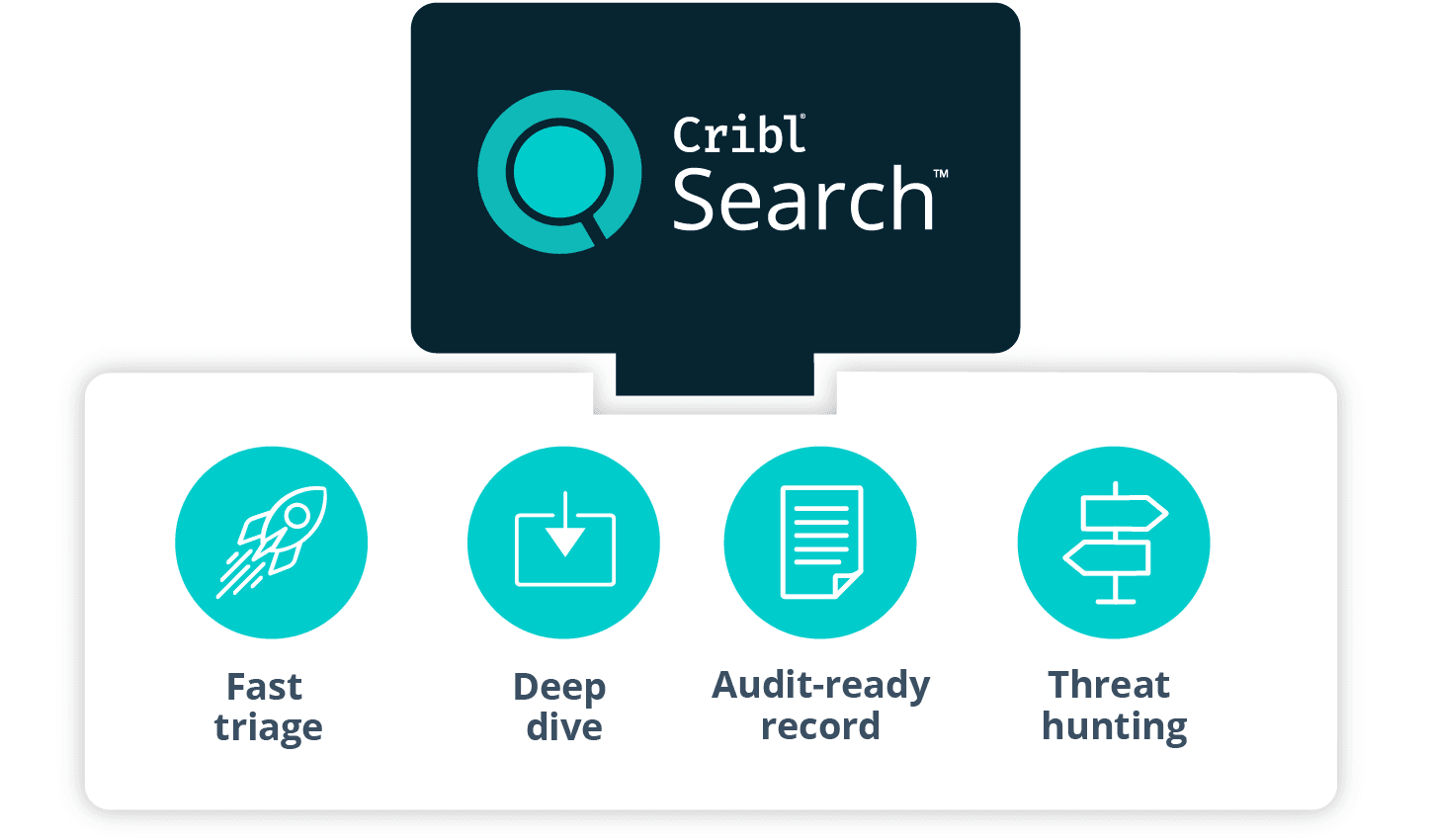
Unified ingest to investigation architecture
Cribl is evolving Search with new features that simplify the product and make it faster. Ingest, storage, and high speed analysis unify into a streamlined experience supercharged with agentic AI. From ingest to investigation, Search eliminates tool sprawl, accelerates workflows, and delivers faster insights from massive, fragmented telemetry volumes.
In practice, that means your teams have:
A single place to onboard security and IT data.
A single place where that data can be stored or addressed.
A single user experience where analysts can explore, investigate, and collaborate.
Instead of orchestrating four different systems just to get started, teams can work from one.
Search wherever the data lives
Cribl Search is not tied to a single proprietary storage engine. It is built to query and investigate security data wherever that data resides: in Cribl Lake or lakehouses, in S3 and other object stores, in cloud provider logs, and in a range of third-party analytics platforms and API-driven services.
Federated search allows SecOps teams to access, analyze, and derive insights from that data directly where it lives, instead of first copying, re-ingesting, or rehydrating it into a different system. The investigation experience no longer depends on where the data was first ingested; it depends on where it is now and what questions need to be answered.
AI-powered, guided exploration
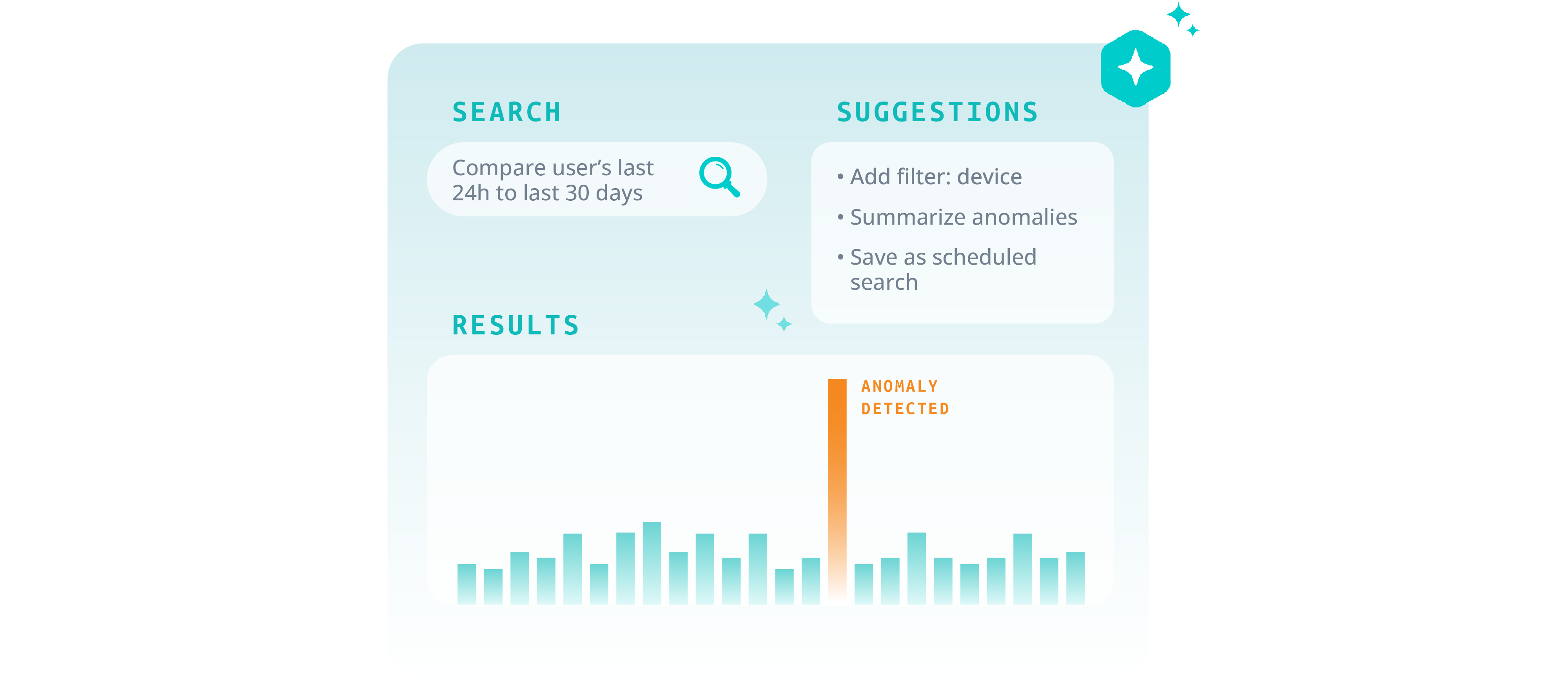
Cribl Search is designed to turn security and IT teams into 10x investigators with AI-powered, guided exploration. Cribl Search helps analysts compose effective queries, even against unfamiliar or messy data. It can summarize long, complex result sets into human-friendly narratives and can propose sensible next steps, such as additional filters, joins, or pivots.
Teams are not locked into a single assistant either. They can use Cribl AI or bring their own fusion agent and still keep full choice and control over how insights are generated and how far automation is allowed to go. The point is to accelerate good analysis, not to hide it.
Simple to deploy and operate
The updated Search experience is aimed at teams that need speed and simplicity more than they need endless bespoke tuning. Smart, automatic parsing and pretraining accelerate data onboarding. Moving from first data ingest to first useful query becomes lightning fast, not a long pipeline project. How fast? Just minutes. Administration and operations are centered in one environment, rather than spread across multiple loosely coupled tools.
How it fits with your SIEM and security stack
Cribl is not asking you to throw away your SIEM or existing security stack. Search can operate as a standalone log intelligence platform for teams that do not have a modern log analysis environment, or for teams whose legacy platform is too slow and expensive for current workloads. It can also act as a composable investigation layer alongside your SIEM and SOAR, using lakehouse datasets and federated search capabilities to broaden visibility without forcing a disruptive rearchitecture.
In both modes, Search becomes the place where investigations actually happen, while the SIEM continues to focus on detections, correlations, and compliance-centric dashboards.
Meet Alex, Senior SecOps Investigator

To make the impact of Cribl Search concrete, let’s follow one awesome investigator through a typical day.
Alex is a Senior Incident Responder operating as a Tier 2 and Tier 3 analyst in a global financial services SOC. They lead investigations from first escalation through containment and post incident review. Alex also mentors Tier 1 analysts and works closely with the detection engineering team.
Alex’s primary goals are straightforward: to protect customer data and critical services from compromise, be accountable for reducing MTTR and avoiding repeat incidents, and perform investigations that stand up to scrutiny from auditors and regulators.
Alex works in an environment that will feel familiar to many. A legacy SIEM with high ingest costs provides partial coverage. Additional telemetry lands in S3 or other object stores. Cloud providers, identity systems, EDR, and SaaS platforms emit their own logs and events. The organization is a mix of on-premises and cloud workloads, with a global, mostly remote workforce. It’s a real data jungle!
Before Cribl Search, a “normal” investigation for Alex began in the SIEM, then expanded into various cloud, endpoint, and identity consoles. Important context was exported into spreadsheets or notebooks. Searches that spanned more than a few days of data were slow. Looking back six or twelve months often triggered archive restore processes. Capturing the investigation record for audits or retrospectives was largely manual.
Now, with Cribl Search in place, that day looks very different.
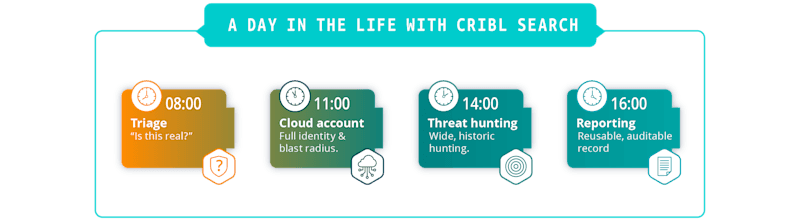
A day in the life with Cribl Search
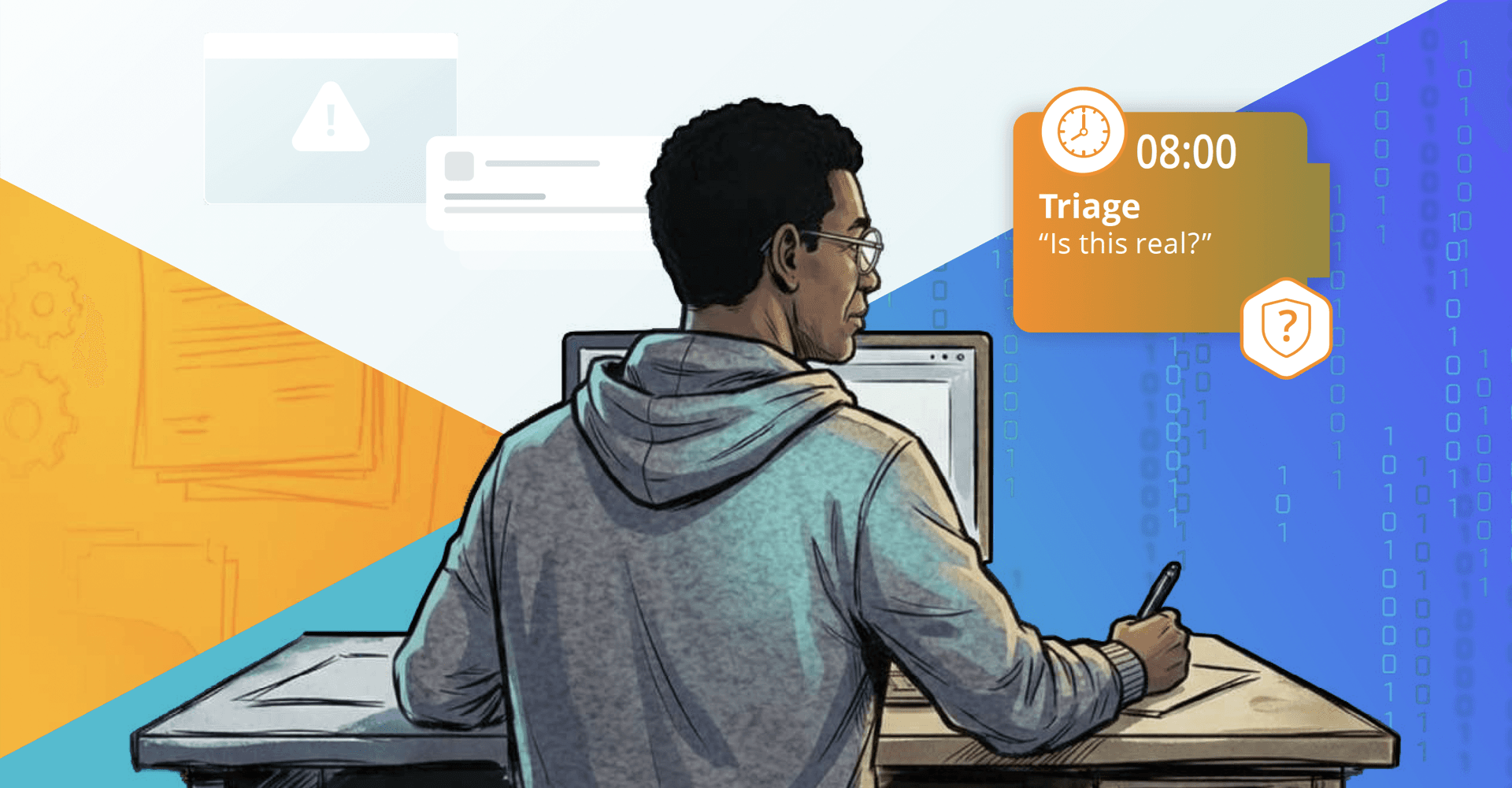
08:00 – Morning triage and validation
Night shift has handed off a set of escalated alerts. Alex’s first task is to decide quickly which are real and which can be safely closed.
Before Cribl Search, this meant opening the SIEM, filtering for overnight activity, and then pivoting into multiple consoles for each serious-looking alert. An escalation involving an administrative user typically required manual checks in the identity provider, VPN logs, endpoint detection console, and cloud audit logs. Each hop had its own query language and its own concept of time ranges and identities. Validation of a single incident could easily consume half an hour or more.
With Cribl Search, Alex starts in a single investigation workspace. Search has access to data coming from the SIEM, from S3, from Cribl Lake, and from cloud and SaaS platforms that write to object storage or are exposed through dataset providers. For each escalated alert, Alex issues a focused query that uses the alert’s user, host, and time window as parameters. The query fans out across identity, VPN, endpoint, and cloud logs at once.
When the event pattern is familiar but the data is messy, Alex can ask Cribl’s AI assistant to frame the question. For example, they might request a view of all authentication and VPN activity for a user over the last 24 hours, grouped by device and region. The assistant generates and runs the query, and Alex can review and adjust it before relying on the result.
In just a few minutes, Alex either confirms that the signal reflects expected travel or known automation, or they see enough irregularity to justify a deeper look. The “is this real?” step that once took half an hour now often takes less than five minutes. That time savings compounds across the entire morning queue.
11:00 – Deep dive incident: suspected cloud account takeover
A high value administrative account has started generating unusual MFA prompts and sign-ins from an unexpected region. Tier 1 has escalated. Leadership is already asking questions.
With Cribl Search as the hub, Alex approaches the investigation in a structured series of moves.
First, they establish the full identity picture. From the Search interface, Alex queries all identity provider and SSO events for the user over the past week. They then pull in VPN and remote access logs to capture source IP addresses, device fingerprints, and locations. Then they add endpoint events from EDR for the user’s primary workstation. Because Search can query across multiple datasets and storage locations at once, Alex can assemble this view without switching tools or rehydrating archives.
Second, Alex compares recent behavior to baseline. Rather than manually constructing baselines in spreadsheets, they delegate this summarization step to Cribl AI. It’s enough to start with a prompt such as “Compare this user’s last 24 hours of activity to their last 30 days and highlight anomalies in device, location, and access patterns.” Search runs the underlying queries and produces an aggregated view of typical versus recent behavior, surfacing concrete changes such as the appearance of a new device type, a region never before seen for this user, or elevated use of sensitive APIs. Alex reviews the output and tunes the filters if needed, but they no longer have to build the entire comparison workflow from scratch.
Third, Alex traces impact across cloud and SaaS environments. Cloud activity logs and SaaS admin events have been landing in object storage and Cribl Lake in full fidelity. From the same Search workspace, Alex issues time- and user-scoped queries against cloud audit logs to see roles, policies, and resources touched during the suspicious period. They then query SaaS admin events from email, collaboration, and CRM systems to detect any privilege changes, data exports, or unusual configuration changes. Common identifiers, such as request IDs, session IDs, and user attributes, stitch these views into a coherent timeline.
At this point, Alex has a reliable reconstruction of what happened: how the account authenticated, which services it touched, and what changed as a result. That understanding feeds containment and communication. Now Alex can move decisively to lock down the account, notify affected application teams, and brief leadership with specific, evidence-backed statements instead of rough guesses.
Finally, Alex turns the investigation into a reusable pattern. The key queries are saved as named, parameterized searches that can be applied to other admin accounts. The most important ones are converted into scheduled searches that run on a cadence, looking for similar anomaly patterns across privileged identities. Notification rules tie these scheduled searches into SOC workflows so that future incidents of this type start with better context already assembled.
The end result is a faster, deeper investigation and a pattern that the SOC can repeat rather than a one-off, heroic effort.
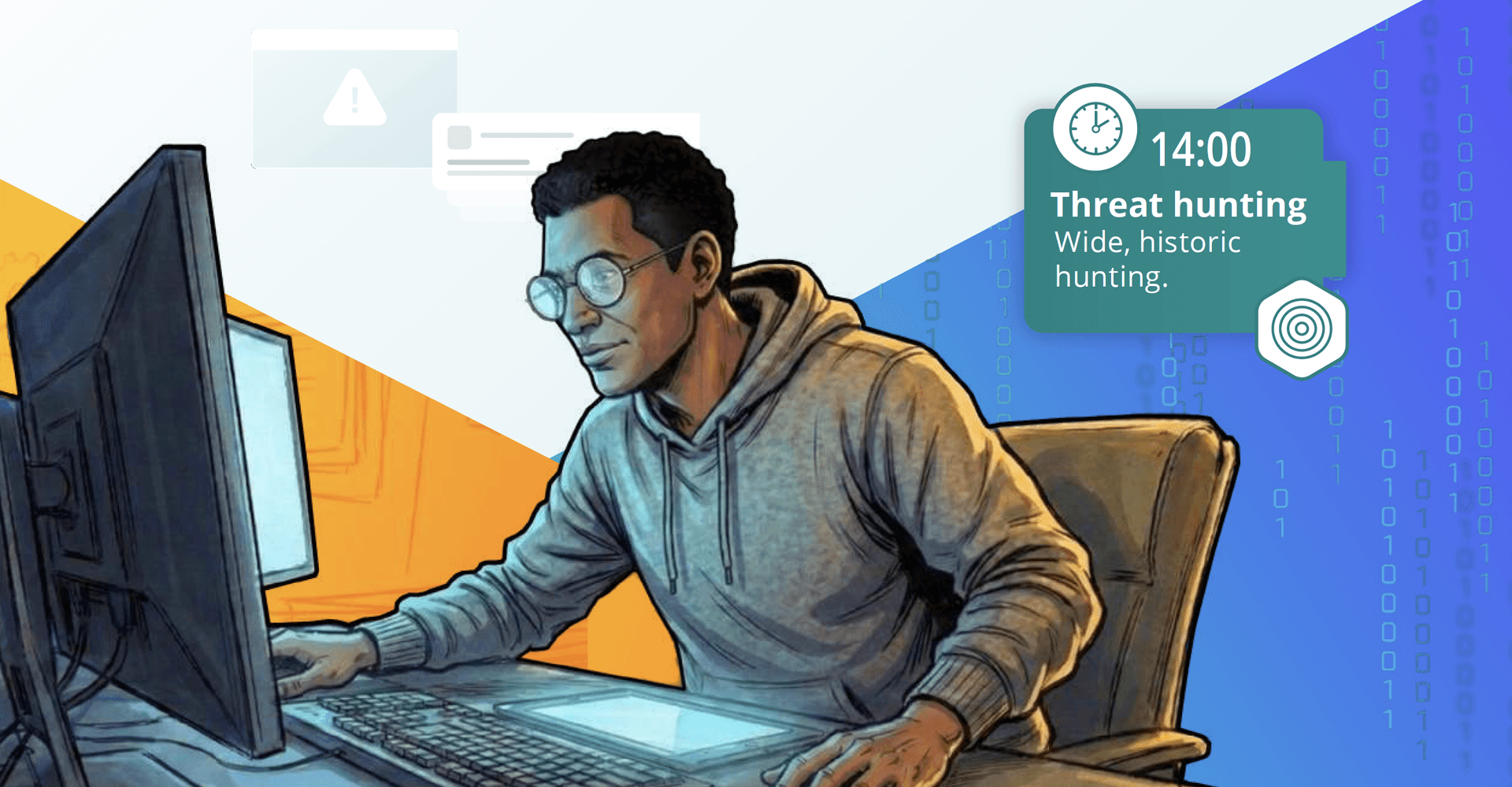
14:00 – Threat hunting and detection tuning
In the afternoon, Alex devotes time to proactive threat hunting and to tuning detection content.
Before Cribl Search, hunting was confined by SIEM ingest limits and retention windows. Hunters were pushed to work within narrow time ranges and limited datasets, often confined to whatever could be kept in hot storage. Wide, exploratory queries were discouraged because they were slow and resource-intensive.
With Search and Lake in place, the hunting landscape changes. Cribl Lake holds months or years of full-fidelity logs in cost-effective storage, and lakehouses can be assigned to security-relevant datasets for high speed searches over those datasets. Alex can pose broad, hypothesis-driven questions against that history, including searching for rare combinations of geo, device, and privilege use; scanning for anomalous patterns in service account activity; and exploring unusual sequences of API calls across services.
Sample searches, analytic cookbook examples, and dashboards that have been built up over time provide good starting points. Alex iterates quickly, adjusting filters and projections while watching the effect in real time. When a hunting pattern proves valuable, it is backtested over large historical windows by querying directly on stored logs. That allows tuning of rules and thresholds based on real distributions, not intuition.
When Alex is satisfied, the successful hunting pattern is promoted into a scheduled search, possibly paired with a notification or ticketing hook. In some cases, findings are also fed back into the SIEM as new correlation rules or improved filters. The important difference is that iteration occurs on a rich, long-term data foundation, not on a thin slice of whatever made it in under last quarter’s license cap.
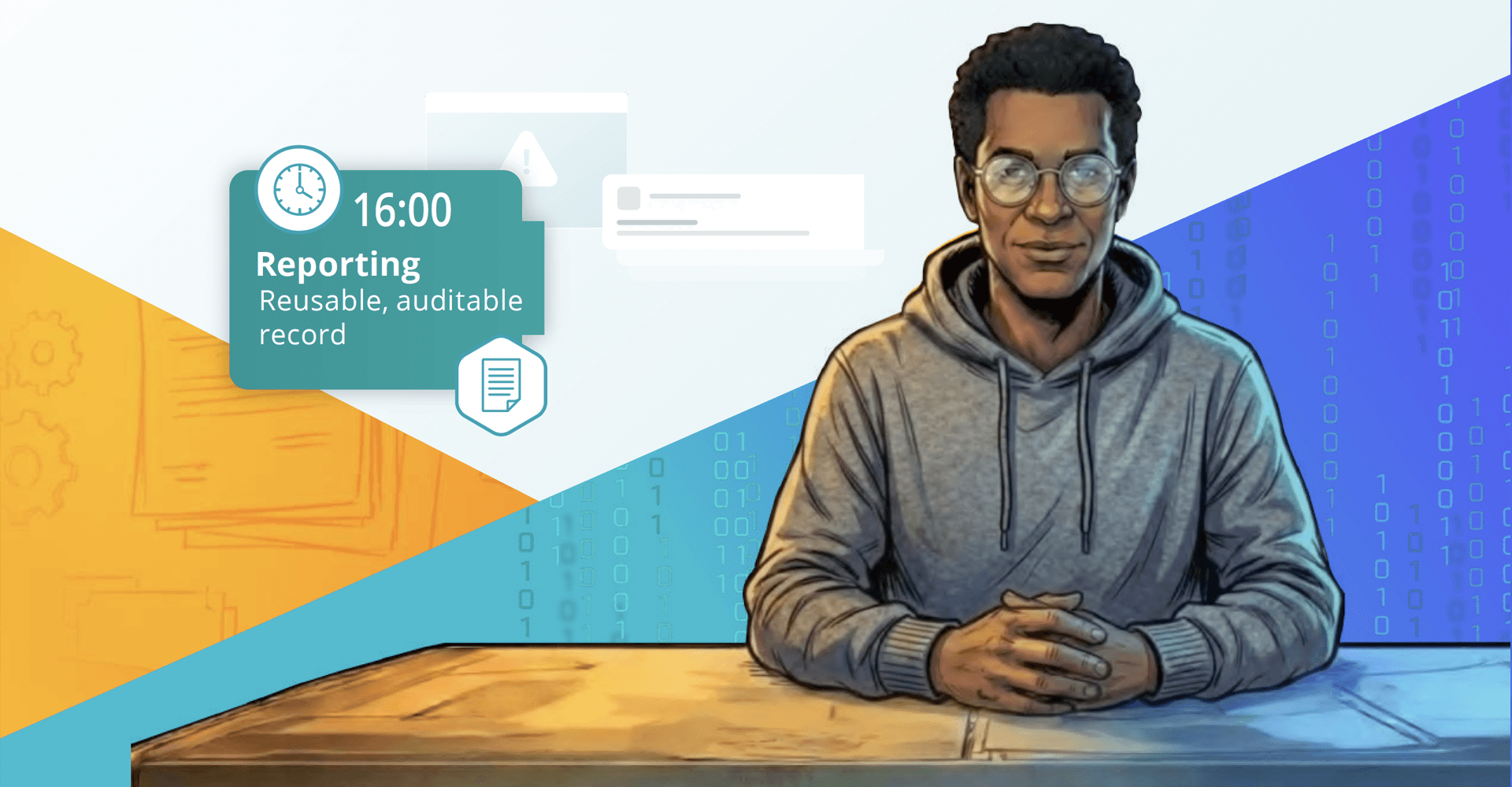
16:00 – Reporting, collaboration, and handoff
By late afternoon, live fire drills have either settled or moved into longer running remediation. Alex shifts into consolidation mode, focusing on making the day’s work reusable and defensible.
Before Cribl Search, this usually meant reconstructing investigations from memory, queries, and screenshots. Timelines and key events were copied into tickets or wiki pages. Technical details were manually translated into summaries for leadership. When auditors or internal reviewers came back months later, it was hard to recall exactly which queries and datasets had been used to reach particular conclusions.
With Search as the hub, the investigation record is already in one place. Saved searches capture the core analytics used in each case. Dashboards provide consistent visual summaries of key dimensions such as user, host, and time. Result sets and execution metadata are retained according to explicit policies, independent of any generic search history limits.
Cribl AI helps translate these artifacts into polished, human-friendly narratives. Alex can ask the assistant to draft an executive summary of an incident, to outline the key stages of the response, or to provide a concise description of root cause and blast radius for use in a post-incident review. The analyst remains responsible for accuracy and emphasis, but no longer has to start with a blank page.
Sharing becomes straightforward. Alex can point Tier 1 analysts and detection engineers to specific saved searches and dashboards when explaining a pattern. Links to search definitions and result sets can be attached directly to tickets and change records. When internal or external reviewers ask “how did you arrive at this conclusion,” Alex can show the sequence of queries and views that led there, rather than trying to reconstruct it weeks later.
Architecture snapshot: where Cribl Search sits in SecOps
Before Cribl Search, most organizations relied on a tightly coupled SIEM-centric stack. Data sources like endpoints, network devices, cloud platforms, SaaS applications, identity systems, and VPNs fed proprietary agents and collectors that wrote directly into the SIEM. The SIEM’s hot storage backed detections and dashboards. Older data moved into cold or offline tiers that were technically reachable but painful to use.
Over time, the SIEM ended up serving simultaneously as an analytics brain, long-term archive, and investigation hub. Cost and complexity rose. Visibility and agility declined.
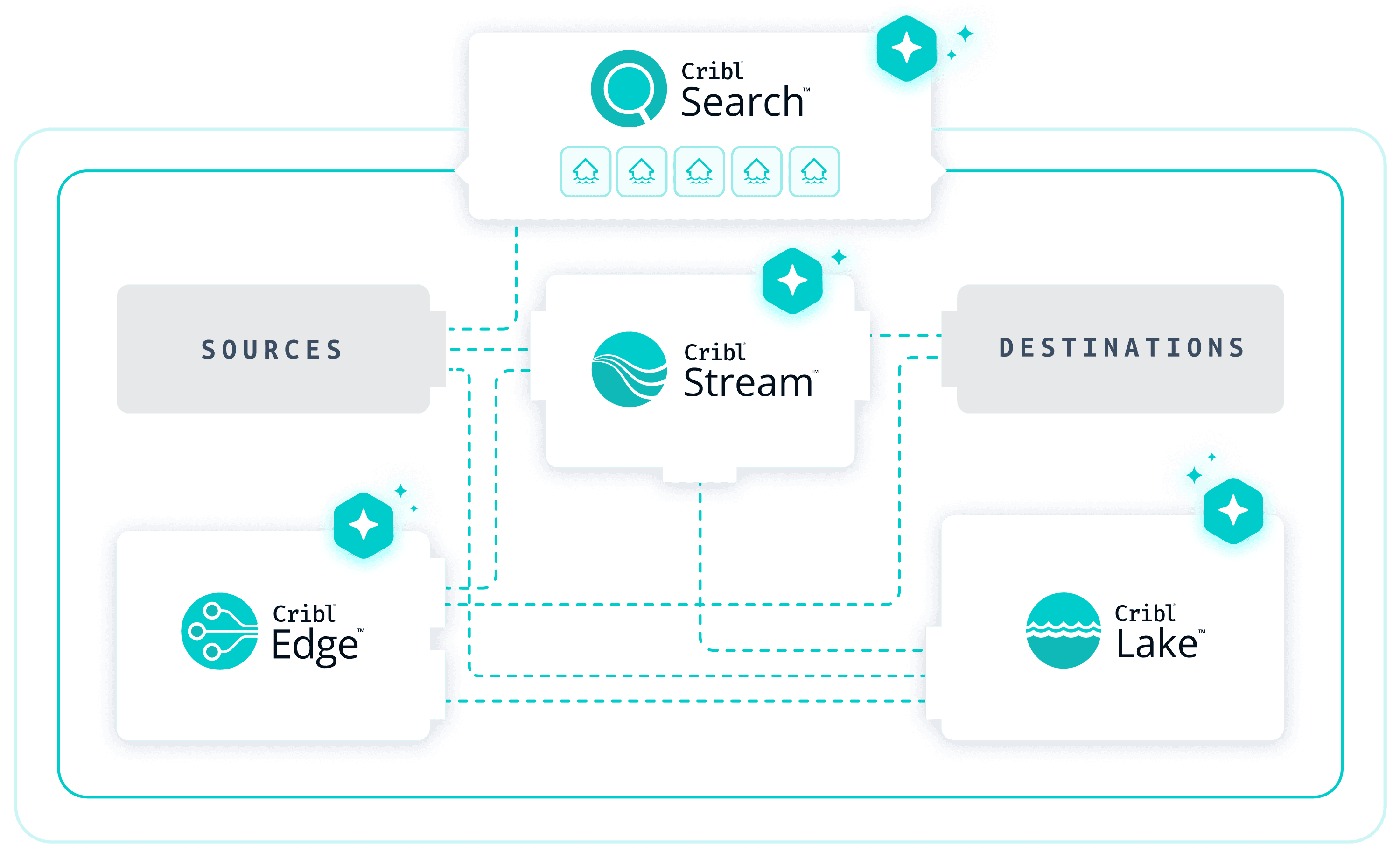
Now with Cribl Search, data control is separated from analytics. Cribl Stream sits between sources and destinations, providing a vendor-neutral control plane for data in motion. Teams can normalize events, reduce noise, and route telemetry to multiple targets without hardwiring everything into a single platform.
Cribl Lake and lakehouses provide cost effective, high performance storage for long-term security and IT data. Schemas and indexing strategies are applied to fit modern security workflows rather than rigidly enforcing a single vendor’s view of the world.
The SIEM remains in place for real-time detections and compliance-centric use cases. Detections can continue to flow into existing SOC processes.
Cribl Search sits across the top of this landscape. It can query the SIEM where that makes sense, but it can also query data stored in Lake, in S3, and in other supported dataset providers without forcing a copy into a proprietary store. For the SecOps team, this means there is finally a single investigation surface that reflects the full telemetry story, regardless of where each piece of data is physically stored.
Metrics that matter to SecOps
A good story is not enough. SecOps leaders need to see measurable impact. When teams adopt Cribl Search as their investigation hub, they can track improvements along several dimensions:

MTTR and investigation throughput
Faster triage and deeper, faster lookups shorten the time from alert to decision. Fewer tool hops reduce friction for each investigation. In the long run, the number of incidents that a single analyst can close in a shift increases without a corresponding rise in burnout.

Coverage and depth
Because Cribl Lake and other storage integrated with Search hold far more history than a typical SIEM hot tier, a higher percentage of relevant telemetry is actually queryable. Threat hunters can work across months or years of data, not days. Retrospective investigations and blast radius analyses draw on complete event histories for affected identities and services.

Cost and tool efficiency
When Search serves as the primary system of analysis for archive and hunting workloads, organizations can move large volumes of security data into cost-effective storage while still using that data for investigations. The SIEM no longer has to function as an expensive archive and license pressure eases without sacrificing visibility.
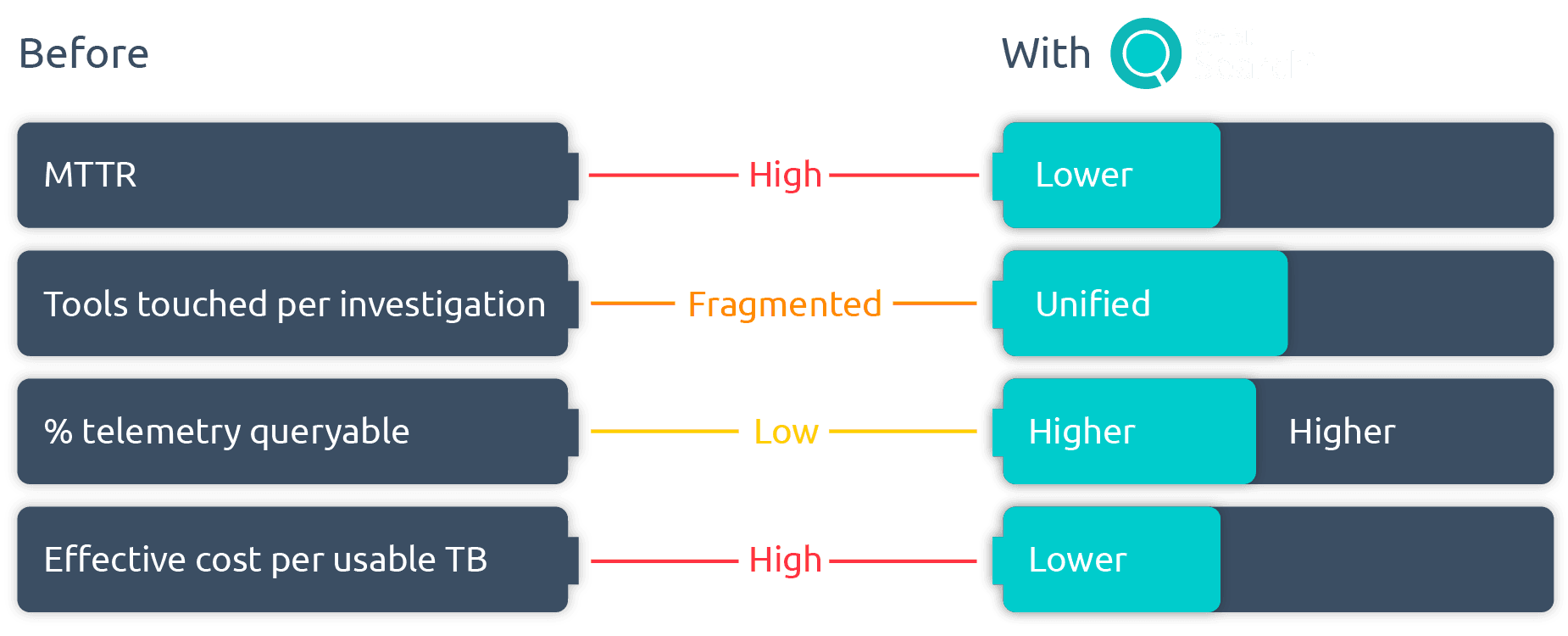
These improvements can be summarized in a simple before-and-after comparison that captures average MTTR, the average number of tools touched per investigation, the percentage of requested data that is accessible without restore tickets, and the effective cost per terabyte of data that analysts can actively use.
Best practices and pro tips
Cribl Search does not require a massive, big-bang transformation. The most successful SecOps teams start small and expand deliberately.
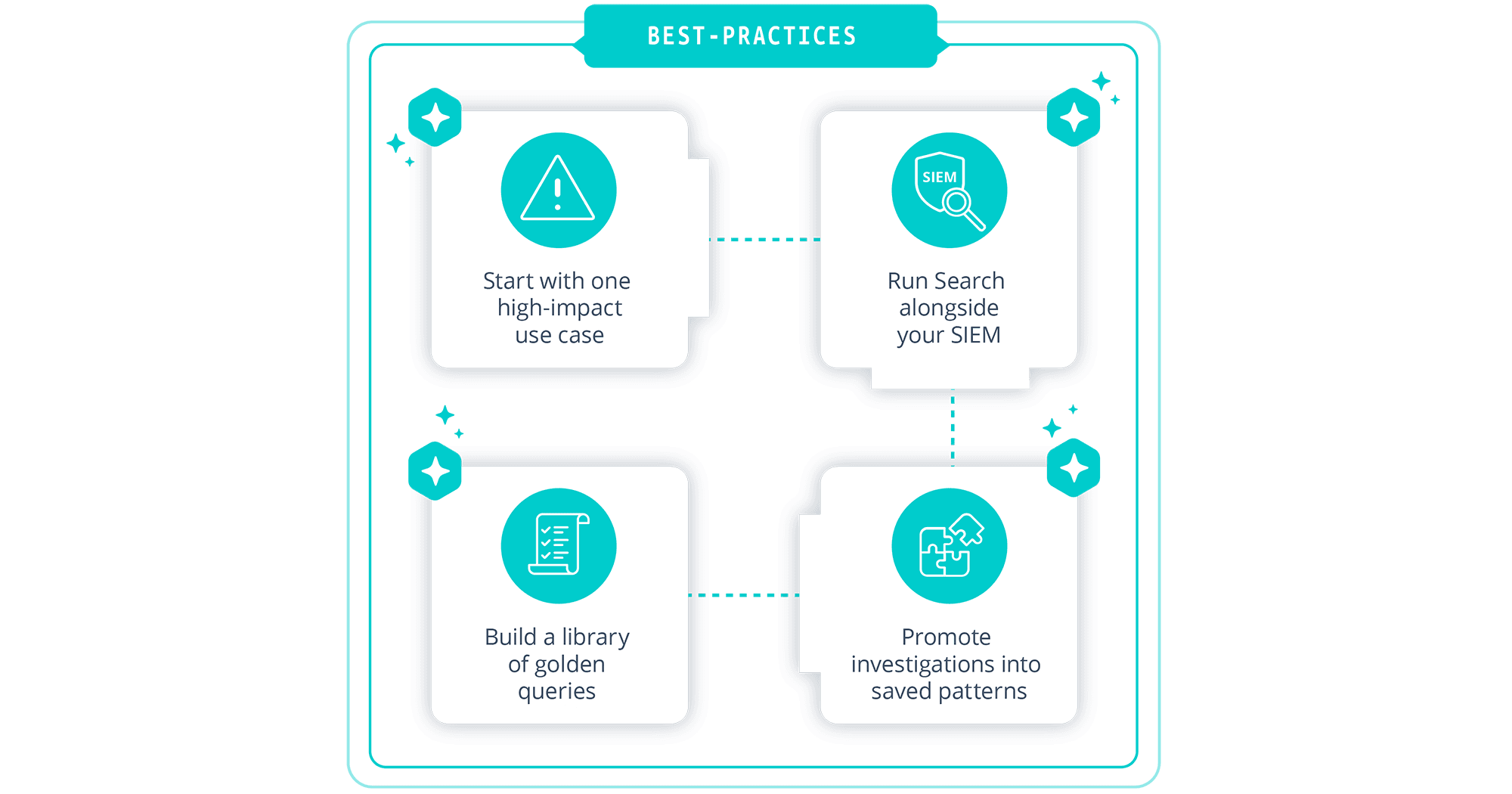
A practical starting point is to select a single, high impact use case such as a suspected cloud account takeover or a privileged user’s anomalies. Once you identify the data needed for that scenario, you can wire those sources into Cribl Search and run a full, end-to-end investigation using Search as the hub. The experience from that first scenario informs how you roll out additional scenarios.
It is important to leave the SIEM in place for what it already does well. Real-time correlation, alerting, and compliance dashboards can continue to live there. Cribl Search can operate alongside the SIEM as the place where richer, cross source investigations happen. Over time, you can decide which workloads belong in Search, which in the SIEM, and which in both.
Whenever you complete a meaningful investigation in Search, take time to promote the work into a reusable pattern. Save the key queries, parameterize them where possible, and consider scheduling them with notifications so the system can watch for similar conditions automatically. As you accumulate these patterns, you will naturally build a small library of “golden queries” and dashboards that define your core SecOps workflows.
The aim is to move away from ad hoc heroics toward repeatable, data backed processes. Cribl Search provides the technical foundation for that shift. The best practices described above help you turn that foundation into everyday practice.
Conclusion and next steps

SecOps teams face conflicting pressures. SecOps teams face conflicting pressures. They are asked to respond faster, see deeper, and “do more with AI” while dealing with exploding telemetry volumes and tight budgets. The traditional SIEM-centric model struggles under that load.
Cribl Search is reimagined for this moment. By unifying ingest, storage, and high-speed analysis into a single, AI-native investigation experience, it allows security and IT teams to become 10x investigators without tearing out their existing stack. The SIEM remains where it is strongest. Cribl takes on the work of connecting, storing, and searching telemetry across the entire environment when needed.
If this picture matches your world, a sensible next step is to choose one painful investigation use case and run it through Cribl Search from start to finish. Wire in the necessary data, execute the investigation, and measure the impact on MTTR, coverage, and analyst effort. Then decide how far you want to extend the pattern.
You no longer have to accept a future where the SIEM is your only workable window into security data. With Cribl Search, you gain a modern investigation hub that works with your existing tools and makes every analyst on your team a 10x investigator.


